

To select an ERP for a small manufacturer, you need a documented process, a written list of must-have requirements, and a short demo run on your own orders with your own data. The vendors who look best in a sales presentation are rarely the ones that fit a 40-person shop running three work centres, so the work happens before any software is shown. Allow six to nine months from first workshop to go-live, with a week or two per week of your own team’s time committed throughout.
Most of the guidance out there is written for enterprises with IT departments, and small manufacturers notice the gap immediately. Your question is not which platform has the most modules. It is which one removes the three or four things that actually slow your shop down, and whether you can keep using it when the person who set it up leaves.
Below is the process I would follow, in the order that avoids expensive rework. It starts with the unglamorous part: writing down how your business works today.
Table of Contents
- What You Need Before You Select an ERP
- Step-by-Step: How to Select an ERP for a Small Manufacturer
- Define Your Manufacturing and Business Requirements
- Map Your Current Workflows Before Anyone Demos Software
- Set a Budget, a Timeline, and a Decision Team
- Create a Shortlist and Request Demos on Your Terms
- Test the ERP with Real Scenarios and Sample Data
- Evaluate Total Cost, Support, and Day-to-Day Usability
- Negotiate the Contract and Plan the Implementation
- Common Mistakes That Cost Small Manufacturers Money
- Frequently Asked Questions
- Conclusion: Start With Your Own Orders, Not a Feature List
What You Need Before You Select an ERP

Six things. Without them, every demo looks good and every proposal looks reasonable, which tells you nothing.
Documented workflows. Pick one real order, ideally a recent make-to-order job, and trace it from quotation to invoice. Write down who does what, what gets retyped, and where the paper lives. Practitioners on Reddit, in r/ERP and r/manufacturing, repeat the same point: document your processes first, because the system will happily inherit whatever chaos you feed it.
A pain-point list with numbers. Not “inventory is a mess.” Measure something: how many stock counts a year and how long each takes, how often a job ships late, how many hours a week someone spends reconciling spreadsheets against the bank feed, how many stockouts you had last quarter. These baselines are the only way to know later whether the project was worth what it cost.
One named decision owner. In a small manufacturer that is usually the owner or general manager. A selection committee of five people with equal votes will not decide anything by December.
An integration list. Write down every system that has to exchange data with the ERP: your accounting package, e-commerce store, payroll, barcode scanners, shipping carriers, CAD or nesting software. If accounting is a two-way sync question rather than a full replacement question, say so now. Small shops often run QuickBooks or Xero and want the ERP to feed it, not replace it, and vendors quote very differently depending on which one you say out loud.
A spending limit and a date. Decide the total you can commit per year including everything, and the month you want people working in the system. Vendors respond to a firm date far better than a vague one.
Sample data. Export your item master, one real bill of materials, your customer list, a routing or work centre list, and a handful of open orders. Format does not matter. Having real numbers to type into a demo is the single biggest difference between a useful evaluation and a sales performance.
First, check whether a full ERP is even the right size for you
Full ERP is a lot of system for a small shop that makes one product to order. Before you evaluate anything, work out which of these four actually matches your operation. Manufacturers weighing this decision ask it constantly in r/ERP, and the honest answer saves months.
Spreadsheets and paper. If you are under roughly 20 people, make a small number of similar products, and one person holds the whole process in their head, you may not be ready. Fix the specific spreadsheet that hurts first, revisit in a year.
Lightweight inventory or job-tracking software. Right fit when the core pain is stock accuracy, serial and lot traceability, or quoting, and production is simple enough that you know what to build. It will not do real MRP, routings, or work-in-process costing.
MRP or production-specific software. Right fit for a job shop or make-to-order operation with multiple work centres, real routings, and a bill of materials that changes. You get scheduling, material planning, and job costing. You usually still run your accounting separately, and the finance side stays patchy.
Full ERP. Right fit when the pain is that your departments disagree with each other: sales quotes a date the shop cannot make, purchasing orders against an inventory number nobody trusts, finance closes the month by hand. One shared database fixes that, and nothing cheaper does.
Terms worth defining before you start reading vendor pages, because they are used loosely everywhere. A bill of materials (BOM) is the recipe listing every component needed to build one item. Routings are the ordered steps a job moves through the shop, each with a work centre and a standard time. Work-in-process (WIP) means goods that are partly finished and not yet inventory. Job costing is tracking actual material, labour, and overhead against one job to see whether you made money. MRP is material requirements planning, the subset of ERP that works out what to buy and what to build next.
Step-by-Step: How to Select an ERP for a Small Manufacturer
Seven steps, in order. Skipping forward to demos is the most common and most expensive mistake in this process, because the demo then sells you on capability instead of fit.
Define Your Manufacturing and Business Requirements
Write a requirements checklist before you look at a single vendor website, and split every line into must-have, highly desirable, and future need. A workable split for a 40-person shop looks like this.
Must-have items are usually: sales order entry, inventory and warehouse control with barcode support, purchasing, production scheduling, bill of materials with revisions, routings, work orders, work-in-process tracking, job costing, shipping, and a general ledger with reporting. Add quality inspection, machine maintenance, lot and serial traceability, mobile shop-floor access, and multi-site support if any of those describe your week. Add your accounting package to the integration list rather than assuming it is covered.
Everything else goes in a second column with a note on the date you would want it. This is where feature bloat gets stopped. Shops consistently complain that an all-in-one platform did a great many things, none of which were configured usefully for a small operation, and that the version they were shown was not the version they ended up with. Some shops have been burned by buying a license with capabilities written for a 500-person group company.
Rank the must-haves by what actually hurts today. If inventory accuracy is your number one problem, weight inventory in the scoring sheet accordingly rather than treating every line equally.
Map Your Current Workflows Before Anyone Demos Software
Follow one real job end to end and record every handoff. The order arrives, someone retypes it into a spreadsheet, a material shortage is discovered on the floor, purchasing finds out late, the job ships, finance gets a handwritten note for the invoice, and a week later the job’s actual cost is a rough guess. That chain is your case for change, and it is far more persuasive to a vendor than any feature list.
Mark the points where data is typed twice, where approval happens verbally, and where a report is built by hand. Those are your requirements, written in operational language instead of software language. Bring the finished map to every vendor meeting and ask which part of it their system handles and which part stays manual.
A good map also tells you how much your process would have to change. If your whole edge is a bespoke routing for one customer, check that the ERP can model it without a custom development project. If your top-10 SKUs carry 80 percent of your revenue, check that a maintainable approach to item master data exists, because a 6000-line item list nobody trusts will sink any system.
Set a Budget, a Timeline, and a Decision Team
Budget for the whole thing, not the subscription. The list vendors quote on usually covers the license or subscription only. Everything else lands somewhere else: implementation services or a partner’s day rate, data cleanup and conversion, training, hardware such as scanners, printers, tablets, and shop-floor terminals, integration work with your accounting system, and the internal labour of your own people during setup and training. Internal labour is the one most small shops forget, and it is often the largest line. In a shop with no IT function, the person managing the implementation is doing it in addition to their actual job.
Compare vendors over a five to seven year horizon, since that is the commitment you are signing. Cloud and on-premise systems move money between categories rather than eliminating it, so a five-year view stops a decision that looks cheap in year one from becoming expensive in year three.
Set the timeline as dates, not stages. Research and requirements, shortlist, demonstrations, proof of concept, references, contract, data preparation, configuration, user training, go-live, and a stabilisation period. Give yourself buffer at the end, because the first month live is always rougher than the plan suggests.
On the team: one decision owner, one person from the shop floor who does the work the system will track, one person from finance, and whoever runs the office administration. If the person who will use the system daily is not in the evaluation, you are not evaluating fit. Several people on r/smallbusiness describe projects that were approved by management and then quietly abandoned because the people entering data every day were never consulted.
Create a Shortlist and Request Demos on Your Terms
Filter the long list by your must-haves first, then by size fit and industry fit. Community consensus among small manufacturers is that a system designed for businesses your size beats a generic enterprise platform, and that size-matched systems come up repeatedly in r/ERP discussions. Buyers often mention Infor M3 as an example of a platform that holds up at smaller scale, though the real test is the proof of concept described below.
Reduce to three to five and ask each vendor for a demonstration against a written scenario you supply. This matters more than it sounds. A vendor running their own script will show you the reporting and the configurator and avoid the awkward parts; a vendor running your scenario has to show you whether they can actually do your work. If they decline your scenario, that answer is useful too.
Ask them to demonstrate, in order, with your own data where they can: entering a quotation with a real part, running material planning against a real bill of materials, creating a production order, consuming components and recording labour against a job, updating stock, recording a quality check, shipping the order, and producing the job cost report. That is a full order lifecycle. Watch what they have to click, what they have to configure first, and which steps they gloss over.
Note the things you would like to see that they skip. A vendor who avoids a topic in a demo will avoid it in the contract.
Test the ERP with Real Scenarios and Sample Data
This is the step that separates a real evaluation from a nice visit. Ask each finalist for a proof of concept using your sample data and one mini workflow: purchase a material, receive it into inventory, raise a production order for a real assembly, consume components, record labour hours, inspect the output, ship it, and see the transaction land in the general ledger. If a vendor will not host or facilitate a scripted proof of concept, treat that as a serious signal about how the implementation will go.
Score each finalist on the same five criteria, one to five, written down before any scoring starts so the first impression does not set the scale.
Usability. Can someone who has never seen it do a core task after about an hour of training, or do they need a manual open in a second window?
Accuracy. Do quantities, costs, and dates tie out when the mini workflow finishes, and do you have to fix anything by hand?
Flexibility. Can it hold your odd routing, your lot tracking, your partial shipments, and a customer-specific price without a developer?
Support. How fast does a real support engineer answer, and can you reach them without a call centre script? Responsiveness during the sales process is a fair preview of responsiveness afterwards.
Integration. Does it connect to the systems you actually run, with documented methods rather than a promise?
Do the scores in your own building, with your own people doing the clicking. A proof of concept run entirely by the vendor’s consultant proves very little.
Evaluate Total Cost, Support, and Day-to-Day Usability
Compare proposals on the whole cost picture, then on whether your team can live with the software, then on support. Deployment model changes the shape of that cost, so settle it early.
Cloud (SaaS). No server, no upgrade project, vendor runs infrastructure and backups. Monthly or annual subscription, per-user pricing, implementation fee, and usually a minimum term. The usual fit for a small manufacturer with no IT staff, and the majority of shops end up here.
On-premise. You buy a license and host it yourself: server or virtual machines, a database administrator or managed host, upgrades, backups, and security patching on your own schedule. Lower total cost over a long horizon if you already have IT, and a poor choice if you do not. Availability and disaster recovery become your problem, not the vendor’s.
Hybrid. A custom arrangement where some modules or plants run differently, sometimes with a local component for speed or data residency. It is flexible and it is the most expensive and slowest to implement, so most small shops should look at it last.
Now look past the number at the things that decide whether people keep using the system. Ask for named references at your size and in your industry, and talk to them without the salesperson in the room. Ask about response times and what support actually costs after year one. Ask what happens to your data, your custom fields, and your report layouts if you leave, and get the answer in the contract rather than in a sales conversation.
On usability, the honest test is whether a shop-floor operator can record a work order, book labour, and see what is in process without keeping a private spreadsheet. Systems that require workarounds to be usable get abandoned quietly, and no contract term will save them. Roles and permissions also matter more than small shops expect: a company with no IT function needs the finance team unable to post to the general ledger by accident.
Negotiate the Contract and Plan the Implementation
Get the contract settled before signing, not after the salesperson has left the building. The items worth arguing for: what implementation services are included and how many days, who owns the project and how often you meet, data migration scope and what happens to records that will not convert cleanly, training days and who gets trained, acceptance criteria for go-live, service levels and response commitments, price increases at renewal and the cap on them, the term length, and the exit terms including data export in a usable format.
That last one is the clause small manufacturers most often skip and most often wish they had. A five-year commitment with a weak exit clause is a real risk when the vendor is a small company itself, which several of the systems aimed at this size are.
Then plan the rollout rather than declaring a go-live date. Clean master data first: item records, customers, suppliers, work centres, and routings, with duplicates removed. Nobody can run a system on dirty data, and cleanup done under pressure during the week before go-live is the most common cause of a delayed launch. Roll out in phases if you can: one product line or one work centre first, so the team learns on a manageable scope while the rest of the business keeps shipping.
Train by role, in short sessions, on the tasks people actually do, and repeat the training after go-live. Assign a super-user per area who can answer questions locally, because in a small shop there is no IT help desk and the ERP administrator is a person with a day job. Hold a short review every week for the first two months after go-live with a fixed agenda, and keep a written list of configuration changes so nothing gets altered in someone’s head and lost at renewal.
Common Mistakes That Cost Small Manufacturers Money
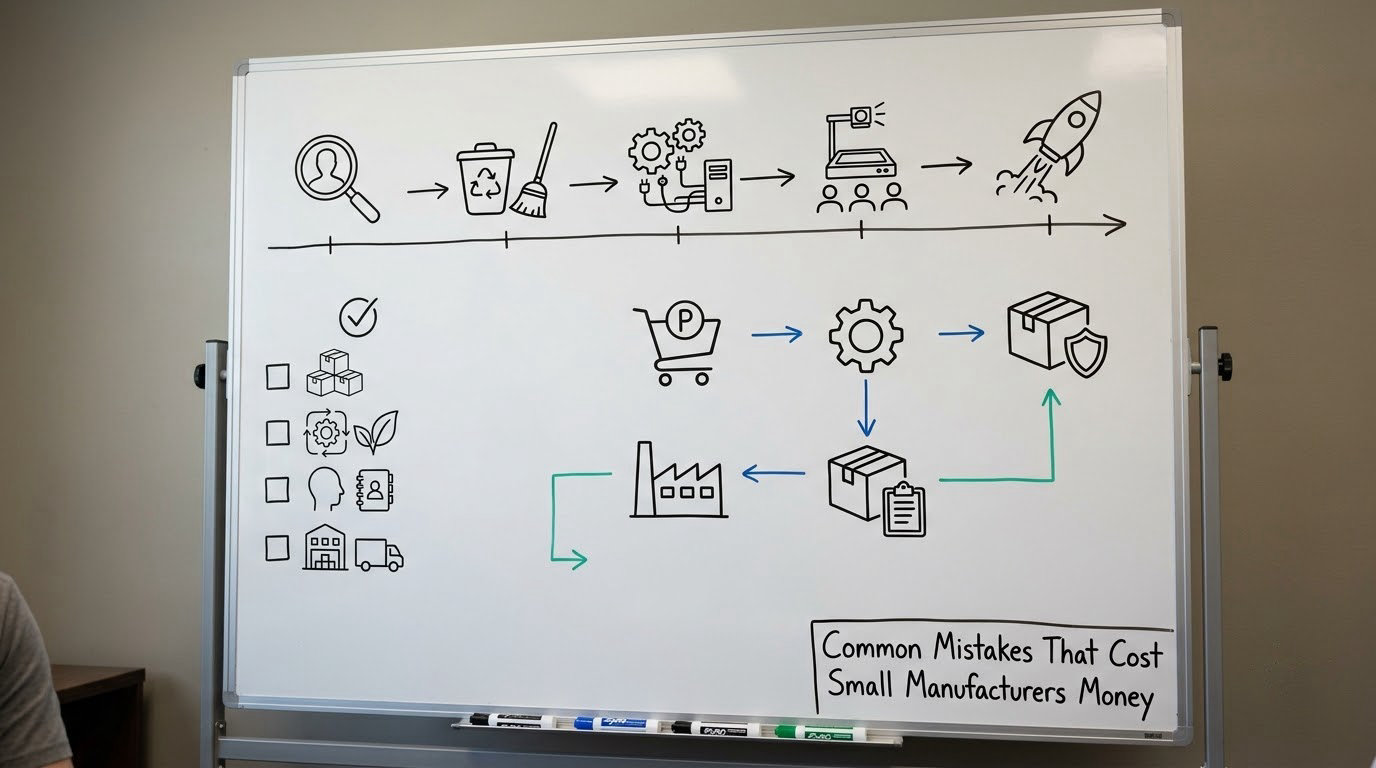
Each of these is avoidable, and each one shows up repeatedly in small-business forums.
Choosing on price alone. The cheapest license is rarely the cheapest system once implementation, data cleanup, and internal time are counted. Compare five-year total cost on the same template for every vendor, including the extras.
Evaluating features nobody will use. A platform that does a great many things needs configuration to become useful, and configuration is work. Weight your scoring sheet toward the must-haves from step one and let the rest be decoration.
Skipping the people who do the work. If the operators entering data were not in the evaluation and not in the training, they will route around the system. That is not resistance, it is a sensible response to software that is slow for their tasks.
Failing to prepare data. Duplicate item records, three codes for the same customer, and routings that only exist in someone’s head cause the delays that make implementations overrun. Start the cleanup before the contract is signed.
Ignoring integrations and total cost. Discovering in month two that the system cannot talk to your accounting package leaves finance running two disconnected systems, which is the problem you bought ERP to fix. Get the connection method in writing.
Redesigning the process during the project. An ERP is a bad place to debate how you should work. Settle process changes first, document them, then configure. Otherwise the argument never ends and the timeline never holds.
Treating the sales demo as proof. A demo shows what software can do, not what your shop will be able to do with it configured, cleaned, and used by tired people at the end of a shift. Insist on a scripted test with your own data.
Going live without a support plan. Who do you call at 7am when the shop cannot post labour, and what is the response time? In a business with no IT function this is the difference between a bad morning and a bad week.
One more that is not really a mistake but a useful check. The professional version of “is ERP worth it for a small manufacturer” is a 90-day review after go-live: is stock accuracy better, is on-time delivery better, are month-end closes faster, and did the pain points you listed in step two actually shrink. If the answer is no, the honest move is to fix configuration rather than to declare failure, but do look at the numbers.
Frequently Asked Questions
What is the best ERP for a small manufacturer?
There is no single best ERP for a small manufacturer, and anyone telling you otherwise is selling. The best fit is the size-matched, industry-relevant system that passes a scripted proof of concept on your own orders, connects to the accounting and scanning tools you already run, and can be administered by your team without a dedicated IT department. Write your must-haves first, then judge every finalist against them.
Do I need a full ERP, or would MRP or inventory software do?
If your pain is stock accuracy, traceability, or quoting, lightweight inventory software is usually enough. If you run multiple work centres with real routings, bills of materials, and job costing, you want MRP or production software. You need full ERP when departments disagree with each other, for example when sales quotes a date the shop cannot make or finance closes the month by hand. Spreadsheets are usually fine below around 20 people making few similar products.
How much does ERP implementation cost a small manufacturer?
Expect the subscription or license to be only part of it. The other significant lines are implementation services or partner day rates, data cleanup and migration, training, shop-floor hardware such as scanners and terminals, integration with your accounting package, and the internal labour of your own people. Compare vendors on five to seven year totals, and ask every bidder to fill in the same template so the extras are comparable.
How long does ERP implementation take for a small manufacturer?
Budget roughly four to six months from signature to go-live for a single-site operation with clean data, and nine to eighteen months where a consulting partner does the configuration, several product lines are phased in, or data conversion is heavy. Add a month of stabilisation afterwards. If a vendor promises go-live in weeks, ask what they have assumed about your data and your people’s availability, because those two things drive the schedule.
How many ERP modules should a small manufacturer buy at the start?
Start with the modules that fix the pain you can name: order entry, inventory, purchasing, production scheduling, bills of materials, work orders, job costing, shipping, and a general ledger. Leave quality, maintenance, advanced planning, multi-site, and territory or field modules out unless they describe a real problem you have this year. Buying the full platform up front usually means paying for configuration work on features nobody uses.
Conclusion: Start With Your Own Orders, Not a Feature List
Selecting an ERP for a small manufacturer comes down to three things: a workflow documented honestly, a demo run on your own data by your own people, and a comparison that counts every cost over five years. Pick the system that removes the fewest of your real bottlenecks, not the one with the longest feature list, and check that the people entering data every day think it is fast.
This week, assign a decision owner, write down the five problems the system has to fix, and schedule the vendor sessions. Everything else follows from that page of notes.